
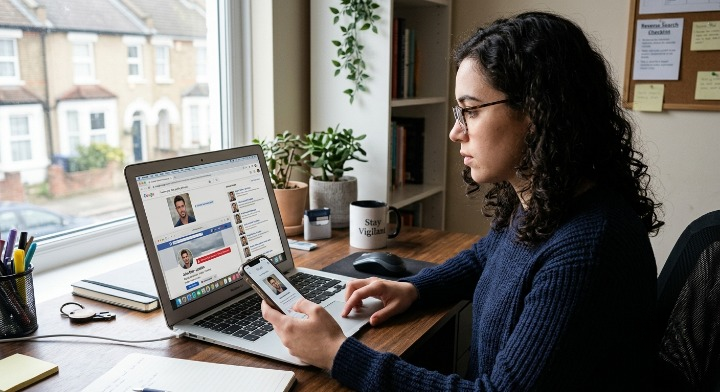
Scammers rarely use their own face. The “trader,” “advisor,” or new romantic interest messaging you online is often hiding behind fake scammer pictures lifted from a model’s portfolio, a stock photo site, or a real person’s public social media. A reverse image search takes seconds and can confirm whether a profile picture is stolen — before you send a single dollar.
This guide covers:
- Why scammers rely on fake profiles and stolen photos
- The facts and figures behind photo-based fraud
- Step-by-step instructions for running a reverse image search
- Red flags specific to a fake investment profile
- What to do if you find a match
- Where to go for a full website and profile check
Why Scammers Use Stolen Photos
Building a fake profile from scratch is fast and nearly free. A scammer can pull scammer pictures from an unrelated Instagram account, a fitness model’s page, or an AI image generator, then attach a fabricated name, job title, and backstory. The photo does the emotional work — it makes the fake investment profile or dating profile feel like a real, credible person before you’ve verified anything else.
What Reverse Image Search Actually Does
A reverse image search scammer check works backwards from a normal search. Instead of typing keywords, you upload or link a photo, and the search engine looks for every other place that exact image (or a close visual match) appears online.
If the “successful trader” in your DMs is really a stock photo model, a reverse image search will usually surface:
- The original, unedited source image
- Other names or profiles using the same photo
- Stock photo or modelling agency listings
- Multiple unrelated social media accounts using the identical picture
Any of these results is a strong signal you’re looking at one of many fake profiles built around a stolen face.
How to Run a Reverse Image Search: Step by Step
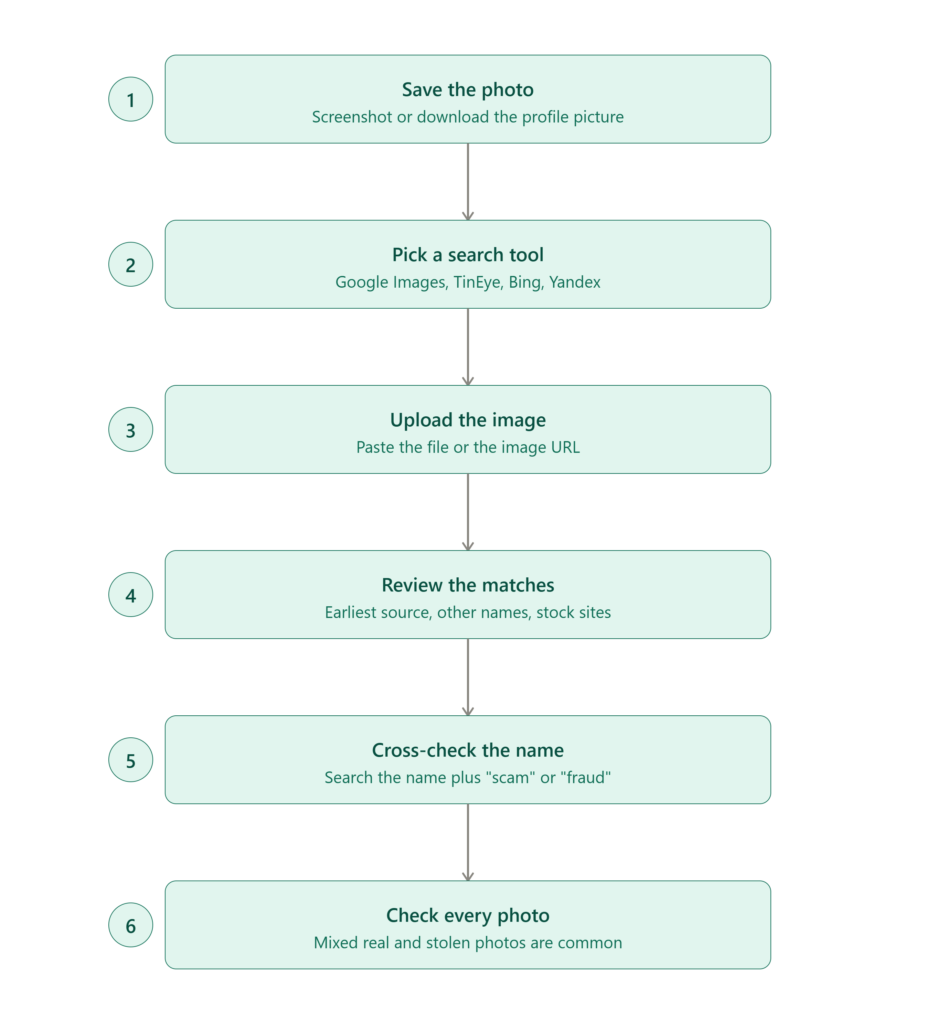
- Save or screenshot the photo. Download the profile picture directly from the account, or take a clean screenshot cropped to just the face/photo.
- Open a reverse image search tool. Google Images, Bing Visual Search, TinEye, and Yandex Images all support image-based (not just text) search, and each indexes slightly different parts of the web — it’s worth checking more than one.
- Upload the image or paste the image URL into the search bar.
- Review the results. Look for the earliest indexed version of the photo, the number of different names attached to it, and whether it appears on stock photo or modeling sites.
- Cross-check the name and details. Search the person’s stated name plus words like “scam” or “fraud,” and check whether their job title, company, or trading credentials actually exist anywhere else.
- Repeat for every photo on the profile, not just the main one — some scammers mix a few real personal photos with mostly stolen ones to look more convincing.
Red Flags Specific to a Fake Investment Profile
Because investment fraud is now the most expensive scam category in the U.S., it’s worth knowing what a fake investment profile tends to look like once you dig past the photo:
- A “successful trader” persona with a luxury lifestyle, but no verifiable track record, license, or registration with a real regulator
- Screenshots of trading profits that can’t be checked against any real exchange or brokerage
- Pressure to move the conversation off the original platform and onto WhatsApp, Telegram, or Signal
- An “investment club” or signal group promoted through social media ads or unsolicited messages — a pattern the FBI has specifically flagged amid a sharp rise in stock manipulation schemes run through these groups.
- A photo that reverse image search links to a completely different name, or to a stock photography site
If you’re vetting a platform rather than just a person, running the same scepticism over the site itself matters just as much as the profile photo — our guide on how to spot a scammer website walks through the platform-level checks (domain age, licensing claims, contact details, payment methods) that pair well with a reverse image search on the people behind it.
FAQ
Does reverse image search work on cropped or slightly edited photos?
Sometimes. Modern tools like Google Images and TinEye can still match cropped, resized, or lightly filtered photos, though heavy edits or AI-generated images reduce match accuracy.
Is it legal to reverse image search someone’s profile picture?
Yes. You’re searching a publicly posted image using a public search engine — no account access or hacking is involved.
What if the reverse image search finds nothing?
No match doesn’t guarantee the profile is real — AI-generated faces and brand-new stolen photos won’t have an indexed history yet. Treat it as one signal among several, not final proof.
Which tool is best for spotting fake scammer pictures?
No single tool catches everything. Checking a photo across Google Images, TinEye, and Yandex gives broader coverage than relying on just one.
The Bottom Line
Fake profiles built on stolen or AI-generated photos are behind billions of dollars in reported fraud every year, and investment scams now top the list of the costliest categories. A reverse image search takes under a minute and can expose a fake profile before it costs you anything. Pair it with a full check of the platform itself — see spot a scammer website — for the most complete picture before you trust anyone with your money.
Traders Defense reviews forex, stock, crypto, and CFD brokers against a fixed set of regulatory and transparency criteria before we recommend — or flag — any platform. Browse our broker reviews before you deposit anywhere new.
Leave a Reply